Introduction
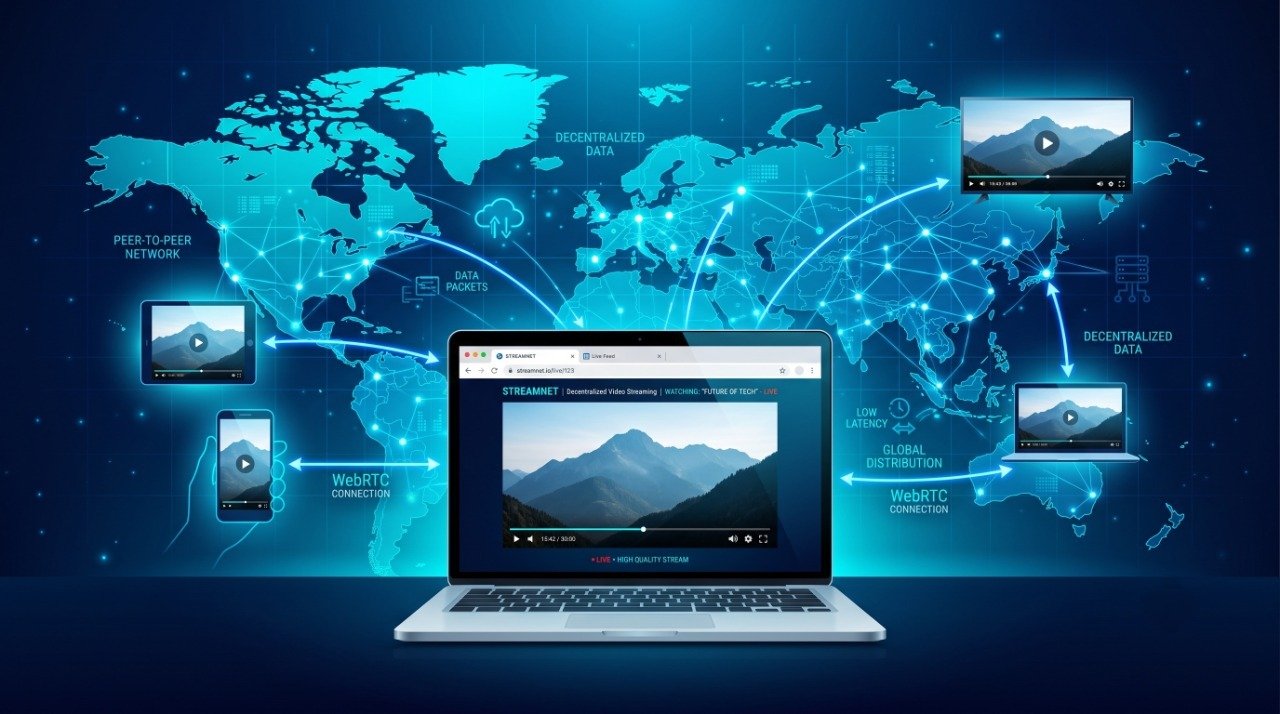
WebTorrent is an open-source technology that allows users to stream and download files directly through modern web browsers using peer-to-peer (P2P) networking. Unlike traditional BitTorrent clients that require software installation, WebTorrent works with standard web technologies, making file sharing faster, simpler, and more accessible.
Developers, educators, content creators, and open-source communities use WebTorrent to distribute large files efficiently without relying entirely on centralized servers.
In this guide, you’ll learn what WebTorrent is, how it works, how to use it legally, and why it has become a popular technology for web-based file sharing.
What Is WebTorrent?

WebTorrent is a JavaScript implementation of the BitTorrent protocol that works in web browsers using WebRTC technology.
Instead of downloading an entire file before opening it, WebTorrent supports progressive streaming, allowing users to begin watching videos or listening to audio while the remaining data continues downloading in the background.
Since it runs inside browsers, users often don’t need to install additional software for supported websites.
How Does WebTorrent Work?
WebTorrent connects users who are sharing the same file through peer-to-peer networking.
The basic process is:
- A user opens a WebTorrent-enabled website.
- The browser connects to other peers using WebRTC.
- Small pieces of the file are downloaded from multiple peers.
- The media starts playing as enough data becomes available.
- The browser also uploads downloaded pieces to other peers, helping distribute the file.
This decentralized approach reduces server bandwidth and can improve download performance when many peers are available.
Key Features of WebTorrent
- Runs directly in modern web browsers
- No browser plugins required
- Supports video and audio streaming
- Open-source and free to use
- Cross-platform compatibility
- Works with magnet links and torrent files
- Ideal for distributing large files
- Easy integration into web applications
How to Use WebTorrent
Method 1: Using a WebTorrent Website
Some websites integrate WebTorrent into their media players.
Simply:
- Open a WebTorrent-supported website.
- Load a magnet link or torrent file provided by the website.
- Wait for peers to connect.
- Start streaming or downloading.
Method 2: Using WebTorrent Desktop
WebTorrent Desktop provides a user-friendly application for Windows, macOS, and Linux.
Steps:
- Install WebTorrent Desktop.
- Launch the application.
- Drag and drop a torrent file or paste a magnet link.
- Select a download location.
- Begin streaming or downloading.
Method 3: For Developers
Developers can integrate WebTorrent into websites using JavaScript.
Typical workflow:
- Install the WebTorrent package.
- Initialize a WebTorrent client.
- Add a torrent or magnet link.
- Display download progress.
- Stream supported media directly inside HTML5 video players.
This makes WebTorrent useful for educational portals, open-source projects, software distribution, and digital media platforms.
Common Legal Uses of WebTorrent
WebTorrent is a technology platform and has many legitimate applications.
Examples include:
- Open-source software distribution
- Educational videos
- Public domain movies
- Creative Commons media
- Linux ISO downloads
- Academic datasets
- Game patches
- Company software updates
Many organizations use peer-to-peer technology to reduce hosting costs while delivering large files efficiently.
Benefits of WebTorrent
Lower Server Costs
Since users share data with each other, website owners use less server bandwidth.
Faster Distribution
Popular files can download faster because multiple peers contribute simultaneously.
Browser-Based Streaming
Users can begin watching supported media before the download completes.
Open Source
Developers can inspect, modify, and contribute to the project.
Cross Platform
WebTorrent works across Windows, Linux, macOS, and modern web browsers.
Things to Consider
Before using WebTorrent, keep these points in mind:
- Download or share only content you have permission to access or distribute.
- Download speed depends on the number of available peers.
- Browser support may vary for certain advanced features.
- Large files may require sufficient memory and storage.
Is WebTorrent Legal?
Yes. WebTorrent itself is legal software.
It is simply a peer-to-peer file transfer technology. Like many networking tools, legality depends on how it is used.
Using WebTorrent to distribute:
- Open-source software
- Public domain content
- Your own files
- Creative Commons media
is generally considered legitimate.
Users should always respect copyright laws and the terms associated with the content they access or share.
Frequently Asked Questions
Is WebTorrent free?
Yes. WebTorrent is open-source and free to use.
Does WebTorrent require installation?
Browser-based implementations usually do not require installation. Desktop versions are also available for users who prefer dedicated applications.
Can WebTorrent stream videos?
Yes. One of its most popular features is progressive video streaming.
Is WebTorrent secure?
WebTorrent itself is an open-source technology. As with any file-sharing platform, users should obtain files only from trusted and authorized sources.
Can developers integrate WebTorrent into websites?
Yes. Developers can use the JavaScript library to build browser-based streaming and file-sharing applications.
Conclusion
WebTorrent modernizes peer-to-peer file sharing by bringing BitTorrent technology directly into web browsers. Its ability to stream media, reduce server bandwidth, and simplify file distribution makes it valuable for developers, educators, software publishers, and open-source communities.
When used responsibly and for authorized content, WebTorrent offers an efficient, scalable, and user-friendly way to distribute large files across the internet.
Whether you’re a developer building a streaming platform or a user exploring modern web technologies, WebTorrent demonstrates how peer-to-peer networking can enhance the web experience while reducing infrastructure costs.