mPro Stream – Android App Review

Streaming technology has evolved rapidly, and users now expect fast, secure, and flexible playback on their mobile devices. While most apps focus on built-in content libraries, many users prefer tools that allow them to stream using custom links. mPro Stream is one such Android app that is gaining attention for its simplicity, performance, and powerful streaming capabilities.
Unlike traditional OTT platforms, mPro Stream does not limit users to predefined content. Instead, it allows playback of external streaming URLs, making it highly popular among users who rely on Telegram channels, IPTV services, or private blogs for accessing media.
What is mPro Stream?
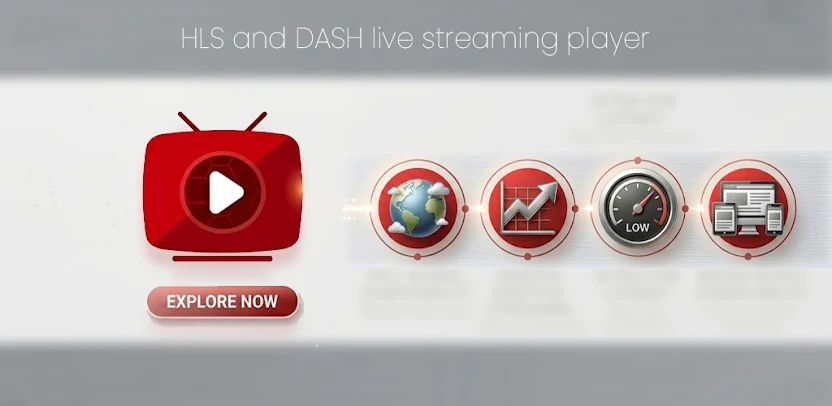
mPro Stream is a lightweight Android streaming player that supports modern video formats such as HLS (HTTP Live Streaming) and MPEG-DASH. These formats are widely used in live sports, OTT platforms, and secure streaming systems because they deliver high-quality video with adaptive bitrate technology.
Instead of hosting content, the app acts as a media player that allows users to paste streaming links and instantly start playback. This makes it a flexible and powerful solution for advanced streaming users.
Key Features
1. Full HLS & DASH Support
mPro Stream supports:
- HLS (.m3u8) streams
- MPEG-DASH (.mpd) streams
These formats are commonly used in live TV, sports broadcasting, and secure streaming platforms, ensuring smooth playback and adaptive quality.
2. Lightweight and Fast
The app is designed to be extremely lightweight, making it suitable for both high-end and low-end Android devices. It loads quickly, uses minimal RAM, and provides a smooth user experience without unnecessary features.
3. Secure Streaming Link Support
Many streaming services use protected URLs with tokens or expiration times. mPro Stream can handle such secure links efficiently, making it useful for private streams shared on Telegram or restricted platforms.
4. Best for Sports Streaming
Sports streaming is one of the biggest use cases for mPro Stream. Since most live sports feeds use HLS or DASH formats, the app provides:
- Low buffering
- Stable playback
- Adaptive video quality
Users often use it to watch cricket matches, football leagues, and other live events using external links.
5. External URL Integration
mPro Stream allows users to paste direct streaming links and even use playlist-based streaming. This makes it similar to IPTV players and ideal for users who want full control over their content sources.
User Experience
The interface is clean and minimal, focusing entirely on streaming functionality. There are no complex menus or unnecessary features, making it easy to use. Once a valid link is entered, playback starts almost instantly.
This simplicity is one of the biggest advantages of the app, especially compared to heavier streaming applications.
Availability
mPro Stream is available on the Google Play Store and is gradually gaining popularity. Many users also discover it through streaming communities and tech blogs that share working streaming links.
Safety Considerations
Since the app does not host content, safety depends on the links used. Users should always use trusted and legal streaming sources. The app itself only requires basic permissions such as internet access.
Pros and Cons
Pros
- Supports HLS and DASH formats
- Lightweight and fast
- Works with secure links
- Great for sports streaming
- Simple and clean UI
Cons
- No built-in content library
- Requires external links
- Still growing in popularity
Final Verdict
mPro Stream is a powerful yet simple streaming app for Android users who want flexibility and performance. Its support for secure HLS and DASH links makes it an excellent choice for sports fans and advanced streamers.
If you frequently use external streaming links from Telegram or IPTV services, this app can be one of the best lightweight solutions available today.
